Duplicates & similar shots
Perceptual matching finds the exact copies and the eleven near-identical sunset attempts. Keep the best, clear the rest.
 Swyp®
Get the app
Swyp®
Get the app
Swyp: Photo Cleaner
Screenshots, duplicates, blurry shots and huge videos pile up quietly. Swyp digs your camera roll back out, one swipe at a time.
Your camera roll is a diary you never meant to keep.
Birthdays. Your first apartment. The last photo with someone you miss.
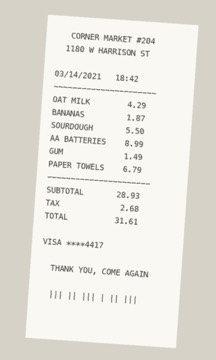
Now they’re buried under screenshots, duplicates, and a receipt from 2021.
Let’s dig them back out.
How it works
Swipe left to toss it, right to keep it. Nothing is deleted until you confirm in Final Review — so go ahead, try it.
← toss · → keep
Features
Perceptual matching finds the exact copies and the eleven near-identical sunset attempts. Keep the best, clear the rest.
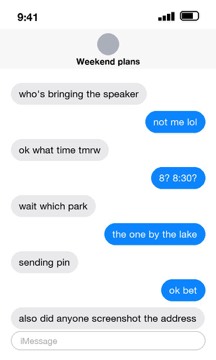
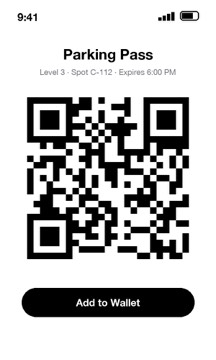
The parking pass, the group chat, the address you needed once. All in one stack.
Shaky shots, pocket photos and accidental bursts, flagged automatically.
Sorted by size, so the biggest space hogs come first.
Work through your library one month at a time. Small sessions, real progress, and you always know where you left off.
Rediscover what you shot on this date in past years.
Review everything before it goes. Changed your mind? Restore it.
Optional nudges when your library starts piling up again — never more than you ask for.
The habit
A swipe takes about two seconds. That’s roughly 150 photos a session — less time than you spend scrolling past them.
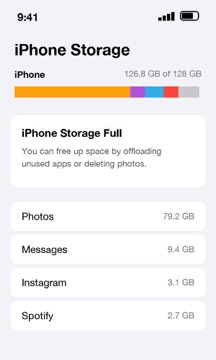
Illustrative example of a 128 GB iPhone.
Privacy
Everything happens on your device. No uploads, no account, no Wi-Fi needed. Your photos never leave your phone.
Tap Airplane Mode. The scan keeps going.
Pricing
$0
$29.99/year
1-week free trial · about $0.58 a week
Prices in USD and may vary by region. Payment is charged to your Apple ID. Subscriptions renew automatically unless cancelled at least 24 hours before the end of the period.
FAQ
No. Scanning, duplicate matching and every decision happen on your iPhone. Your photos never leave your device, and the app works fully offline.
The photo goes into the Cleaner Bin. Nothing is deleted until you confirm in Final Review, and you can restore anything before then. After you confirm, iOS also keeps deleted photos in Recently Deleted for 30 days.
Free covers your first 5,000 photos and 50 deletions a day, across every category. Pro removes both limits.
Any iPhone running iOS 15 or later.
Open Settings → your name → Subscriptions, choose Swyp, and tap Cancel. You keep Pro until the end of the current period.